By the end of this lesson
You can read an AI answer card the way the AI wrote it, tell how the answer was obtained, and find the exact fact that cost you the recommendation.
Numbers tell you that you're losing. The answer tells you why. Rizecart shows you the AI's own words, not a summary, so you can check every claim yourself and see your store the way a shopper's AI sees it.
The parts of an answer card
| Part | What it shows |
|---|---|
| Header | The AI's logo and name, then AI answer and when it was asked. |
| How it was obtained | A badge: Official API, Web-assisted, Model knowledge or Live check. Hover it for the reason. |
| Result | Not named when your store isn't in the answer, or Named #2 (your position) when it is. |
| A shopper asked | The question, as a chat bubble, in its own language. |
| The answer | The AI's text. Your store is highlighted in amber, competitors are outlined. |
| Stores it named | Each store in the order the AI named it. If you're missing, your store appears with “· Not named”. |
| Sources it used | The sites the AI cited, each with its type: your site, competitor, marketplace, reviews, social, editorial. |
| Why | Notes in the margin with the missing fact, pinned to the phrase it's about, like the city in the question. |
Official API, web-assisted or model knowledge?
Not every AI can be asked the same way, so every answer says how it was obtained. The trend chart on Home draws the labelled ones as dashed lines.
- Official API: ChatGPT, Claude, Grok and Perplexity, asked through each one's official API, with web search where the AI offers it.
- Web-assisted: DeepSeek. Its API doesn't search the web by itself, so Rizecart gives it results from DeepSeek's own web search.
- Model knowledge: Gemini. Google doesn't allow grounded Gemini answers to be stored or analysed, so we track what Gemini already knows about your store.
- Live check: a Gemini answer with Google Search, run by you on demand. It's shown to you only and not stored.
Not named, Fixed, Named #1
Our homepage demo tells the story in three steps: Not named, then Fixed, then Named #1. In the app, the answer card shows only the AI's result: Not named, or Named with your position. “Fixed” belongs to the fix. When you apply one, the app confirms “Fixed. We'll ask the AIs again in 3 days, once they've had time to re-read your store.” The fix then shows Approved by you, with a Measuring note until there are enough new answers to judge it. When an AI names you, its card shows Named #1, or whichever position you earned.
Read one answer, step by step
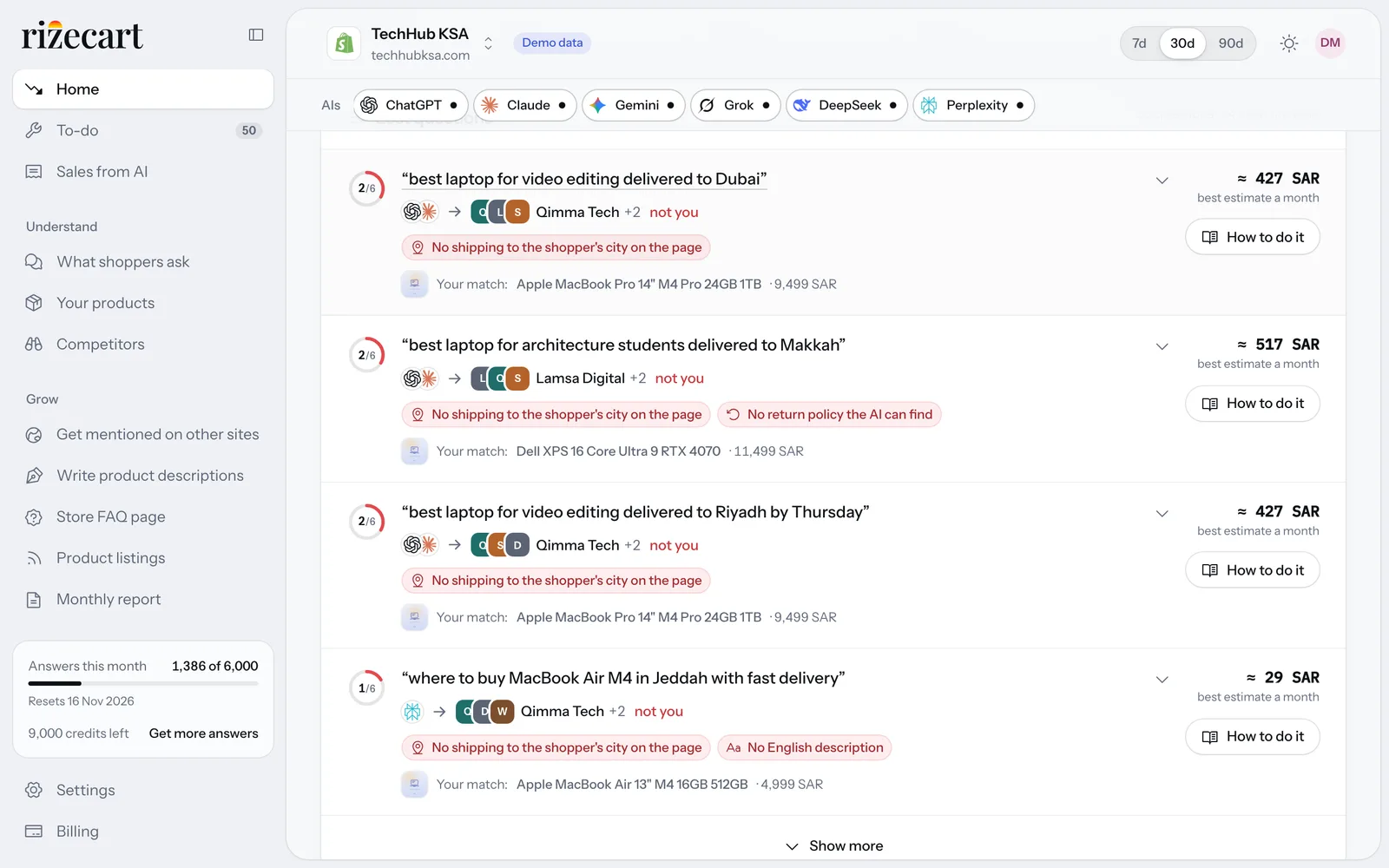
Read the question first
Look at the details the shopper gave: the city, the budget, the deadline. Those details are what the AI tried to match.
Read the answer as the shopper would
Note which stores it recommends and the reasons it gives, like “in stock, delivered to Dubai in 2 days”. Those reasons are the facts it found on their pages.
Read the notes in the margin
Each note names a missing fact on your store, like “No delivery time on the product page”. If it says “What we know so far”, we found no missing fact: the AI simply knows those stores better. Check the sources it used.
Open the full page
Choose Full answer and fixes. There you'll find Same question, other AIs (Named you, Named you #2, or Not named for each), Why you weren't named with the evidence, Sources the AI used grouped by type, and Fixes for this question.
Check it live if you need to
Choose Ask Gemini live to ask Gemini with Google Search right now. A live check costs 4 credits, and if Gemini doesn't answer you're not charged.
That's the end of Getting started. Next, fix the facts the AI couldn't find: start with Delivery times by city. For the bigger picture, read How to get your store recommended by ChatGPT or see how Rizecart works.
Before you move on
- You can say how an answer was obtained from its badge.
- You found your store, or its absence, under Stores it named.
- You read at least one Why note and know the fact it points to.
- You opened Full answer and fixes and checked the sources the AI used.