By the end of this lesson
You can make every product's price and stock status readable, and the same on your page, your structured data and your feed.
A buyer asks Gemini for “a carry-on suitcase under $120, in stock, delivered to Riyadh.” Your suitcase is $95 and on the shelf. But if the AI can't read the $95, or can't tell it's in stock, your product fails the first check. Price and stock come before delivery, reviews or anything else.
Why are price and stock checked first?
OpenAI says ChatGPT ranks shopping results on availability, price, quality, and whether the store is the maker or primary seller. Its product feed spec lists price and availability as required fields. A product without them can't match a budget question or an “in stock” question.
The AI also has to trust the number. Your price can live in three places: the page a buyer sees, your structured data (hidden product data on the page, written for machines), and your product feed (the file Google Merchant Center and other channels read). Google's merchant listing guidance asks that structured data match the page. When the three disagree, your store looks unreliable.
What does Rizecart flag?
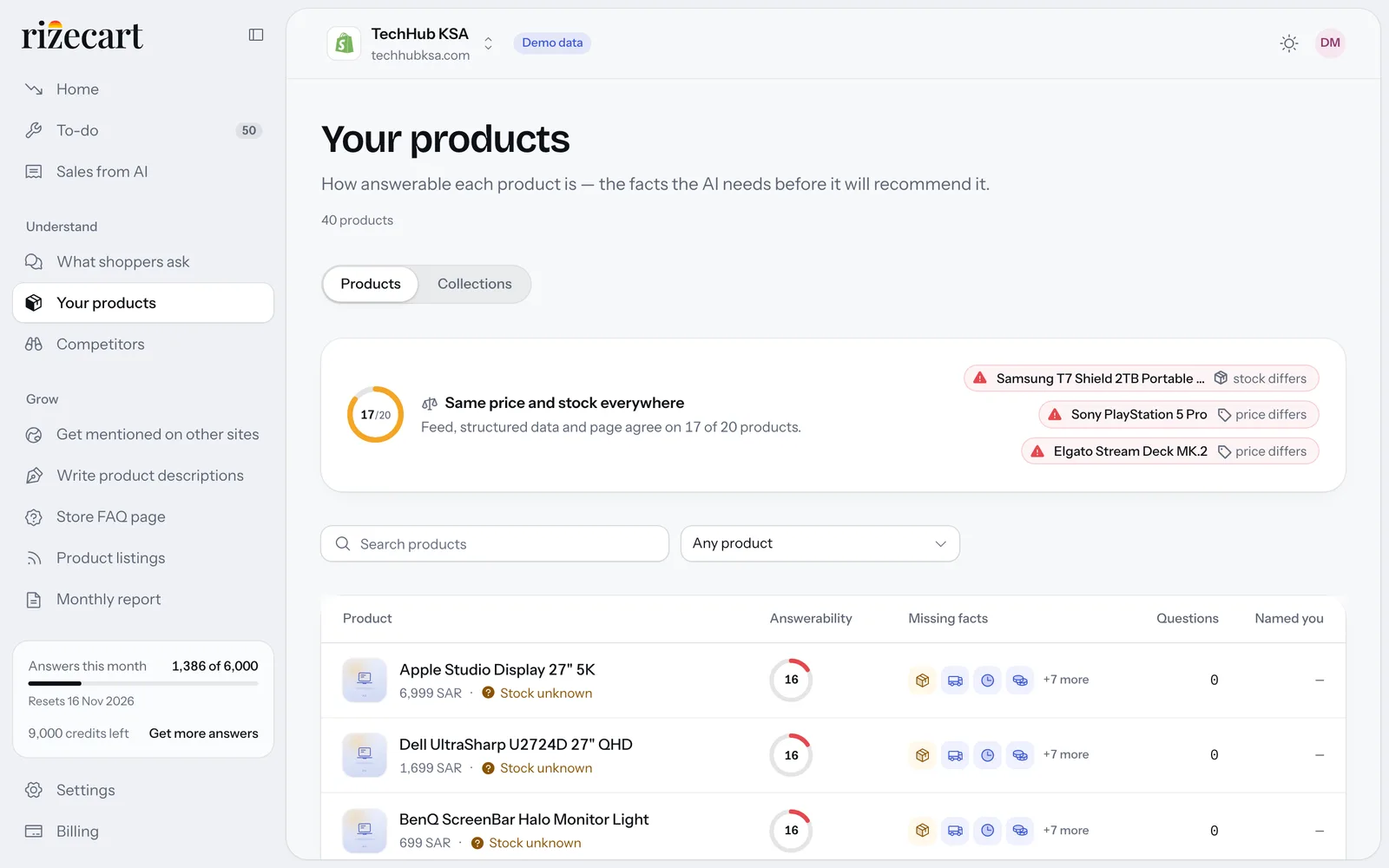
Open any product in Your products. What the AI can read shows each fact with a tick or a cross. Four reasons under Why you weren't named come from price and stock:
| Reason | What it means |
|---|---|
| The AI can't read your price | Rizecart found no usable price for the product: it's empty, zero or “on request”. |
| Your price differs between pages | Your page, your structured data and your feed show different prices. |
| Stock status isn't clear | Nothing says whether it's in stock, so the AI skips it. |
| Out of stock | The AI won't recommend something buyers can't order. |
On the same screen, Feed vs structured data vs page puts the three values side by side and highlights the odd one out. On the Your products list, Same price and stock everywhere tells you how many products agree everywhere.
How do you fix it in your store?
Give every product a real price
Open the product in your store admin and enter the price as a number. Not zero, not “contact us”. Do the same for every variant.
Put the price in text, not pictures
If a banner or a photo is the only place the price appears, add it as text. AI bots read text.
Track stock
Turn on quantity tracking for each product and variant (size, colour), so your store publishes “in stock” or “out of stock” instead of nothing.
Change prices in one place
Edit prices in your store admin, not in theme code, a banner or a separate feed spreadsheet. One source keeps the page, the structured data and the feed in step, even when a sale ends.
Handle out of stock honestly
Restock, or offer pre-order with a date, and point buyers to an in-stock alternative.
How does Rizecart help?
Find the products
On Your products, set the filter to Missing: Price or Missing: Stock status.
Apply the free fixes
Tell the AI it's in stock publishes your real stock status from your inventory. Make your price readable to the AI adds your price to the product data AI bots read. Click Fix it, check What changes, then Apply fix. Neither fix invents a value: if the product has no price or no stock count in your store, add it there first.
Fix mismatches at the source
Make your price match everywhere is marked You make this change. How to do it shows where to open the product on your platform. Correct the wrong value there, and Rizecart re-checks within minutes.
Let your feeds follow
Rizecart's Product listings update whenever your prices or stock change. Paste the Feed address into Google Merchant Center once, and it keeps seeing the same numbers as your page.
What does a readable price look like?
| Fact | Before | After |
|---|---|---|
| Price | $95 only inside the product photo | $95.00 in the price field, and as text on the page |
| Stock | Not tracked | In stock, tracked for every size |
| Feed vs page | Feed $99, page $95 after a sale | $95 on the page, in the structured data and in the feed |
What's next?
Next, put a price on shipping and a clear returns policy on every product: Shipping and returns policies an AI can read. If your store blocks AI bots, none of this is readable, so check which AI crawlers to allow in robots.txt. The free store check tests whether an AI can read your prices today.
Before you move on
- Every product and variant has a real price, written as text
- Stock is tracked for every product and variant
- Your page, structured data and feed show the same price and stock
- Price and stock fixes in Fixes are applied or done by hand